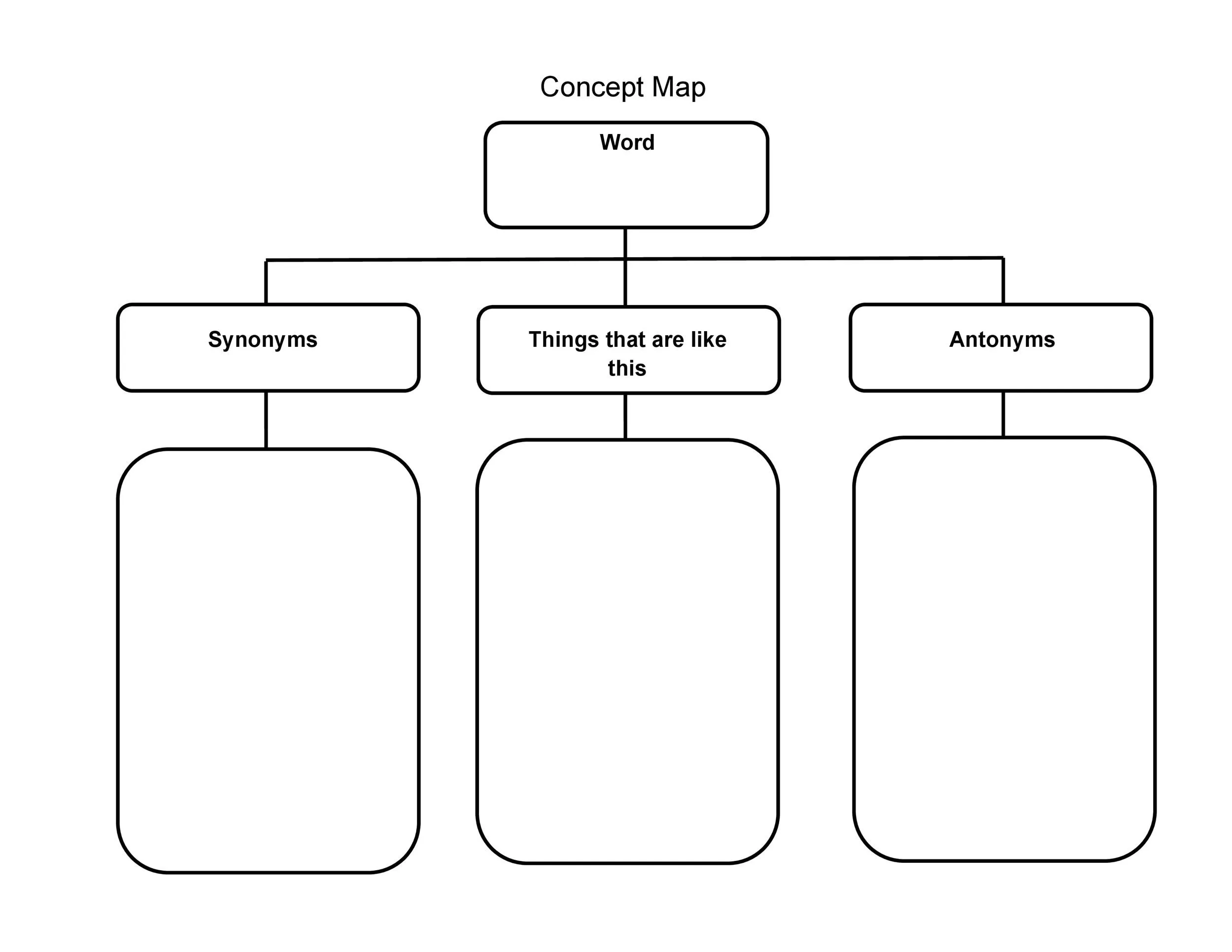
What are Concept Charts?
Concept charts, also known as concept maps or mind maps, are visual tools for representing and organizing complex information. They consist of nodes, which are concepts or ideas presented in boxes or circles, and linking lines that connect these nodes to show relationships.
These charts visually represent how different concepts are connected and how they contribute to a larger topic or theme.
Applications of Concept Charts
Concept charts can be utilized in various settings to enhance understanding and communication:
- Education: Students can use concept charts to organize information, study for exams, and make connections between different concepts within a subject.
- Business: Professionals can use concept charts to brainstorm ideas, plan projects, and communicate complex strategies to team members or stakeholders.
- Research: Researchers can use concept charts to map out relationships between different variables, theories, or ideas in their field of study.
- Personal Development: Individuals can use concept charts to set goals, track progress, and visualize the connections between different aspects of their lives.
Why Use Concept Charts?
Concept charts offer a unique approach to organizing and visualizing information that can significantly enhance the learning process and problem-solving abilities. By utilizing concept charts, individuals can tap into the power of visual thinking and gain a deeper understanding of complex topics. Let’s explore some of the key reasons why concept charts are valuable tools in various contexts:
Enhanced Learning and Retention
One of the primary benefits of using concept charts is their ability to enhance learning and improve information retention. When individuals engage with visual representations of complex information, they are more likely to remember key concepts and relationships. By creating concept charts, learners can reinforce their understanding of the material and make connections that may have been more difficult to grasp through traditional study methods.
Facilitated Problem-Solving
Concept charts can also be instrumental in problem-solving scenarios by providing a visual framework for breaking down complex issues into manageable components. When faced with a challenging problem, individuals can use concept charts to identify key variables, relationships, and potential solutions. By visually mapping out the problem and its various elements, individuals can develop a clearer strategy for addressing the issue and finding a resolution.
Effective Brainstorming and Idea Generation
Brainstorming sessions can benefit greatly from the use of concept charts, as they provide a structured platform for generating and organizing ideas. By visually mapping out different concepts and their relationships, individuals can explore new connections, identify patterns, and develop innovative solutions. Concept charts can help teams collaborate more effectively by providing a visual reference point for discussing ideas and building upon each other’s contributions.
Improved Communication and Clarity
When it comes to communicating complex information, concept charts can be invaluable tools for enhancing clarity and understanding. By visually representing ideas and relationships, individuals can convey information in a more digestible and engaging format. Whether presenting a project plan, explaining a concept to a colleague, or teaching a complex topic to students, concept charts can help simplify complex information and make it more accessible to others.
Structured Knowledge and Conceptual Understanding
Concept charts help individuals structure their knowledge by organizing information hierarchically and showing the relationships between different concepts. By visually mapping out key ideas and their connections, individuals can gain a deeper understanding of complex topics and see how various components fit together. Concept charts encourage individuals to think critically about the material they are studying and develop a more comprehensive grasp of the subject matter.
Comparison and Contrast of Ideas
Another advantage of concept charts is their ability to facilitate the comparison and contrast of different ideas. By visually representing concepts side by side, individuals can easily identify similarities and differences between them. This comparative analysis can help individuals develop a more nuanced understanding of the material and see how different ideas relate to one another. Concept charts encourage critical thinking and active engagement with the content being studied.
Project Planning and Organization
Concept charts are valuable tools for outlining projects and organizing complex tasks. By creating a visual roadmap that outlines the key components of a project, individuals can ensure that all aspects are considered and connected. Concept charts can help individuals stay on track, prioritize tasks, and monitor progress throughout the project lifecycle. Whether planning a research project, organizing a presentation, or managing a team task, concept charts can provide a clear and structured framework for success.
Key Elements of Concept Charts
1. Nodes
Nodes are the fundamental building blocks of concept charts and represent individual concepts or ideas. Each node typically contains a single concept or keyword that is central to the chart’s topic. Nodes are usually depicted in boxes or circles to visually separate them from one another and make them stand out on the chart.
When creating a concept chart, it is essential to choose meaningful and concise labels for each node to clearly convey the concept it represents. By keeping the labels brief and focused on the main idea, individuals can ensure that the chart remains organized and easy to understand. Nodes can be arranged hierarchically to show the relationships between different concepts and emphasize the importance of each idea within the chart.
In addition to labels, nodes can also include additional information, such as definitions, examples, or key points related to the concept. This supplementary information can provide context and clarification for individuals who may be unfamiliar with the topic or need more details to fully grasp the concept being presented. By including relevant information in the nodes, individuals can create a comprehensive and informative concept chart that enhances understanding and retention.
2. Linking Lines
Linking lines are essential components of concept charts that connect nodes to show relationships between concepts. These lines play a crucial role in illustrating how different ideas are related and how they contribute to the overall structure of the chart. Linking lines can be straight or curved, depending on the nature of the relationship being depicted, and can vary in color or style to distinguish different types of connections.
When creating linking lines in a concept chart, it is important to consider the clarity and readability of the connections being made. Individuals should aim to create logical and meaningful relationships between nodes by using linking lines to highlight key connections or dependencies. By carefully mapping out the relationships between concepts, individuals can create a cohesive and informative concept chart that effectively communicates the underlying structure of the information being presented.
Linking lines can also be used to indicate the strength or direction of relationships between concepts within the chart. By adjusting the thickness or style of the lines, individuals can emphasize the importance of certain connections or show the flow of information between different ideas. This visual cue can help viewers navigate the chart more easily and understand the significance of each relationship within the context of the overall topic.
3. Labels
Labels play a crucial role in concept charts by providing additional context and information to clarify the relationships between concepts. Labels can be added to nodes and linking lines to describe the concepts they represent or the connections they make within the chart. By including labels, individuals can ensure that the chart remains clear and informative, guiding viewers through the structure of the information being presented.
When adding labels to a concept chart, individuals should aim to keep them concise and descriptive, focusing on key words or phrases that capture the essence of the concept or relationship being described. By using clear and precise language, individuals can avoid ambiguity and ensure that viewers understand the content of the chart quickly and easily. Labels can also be used to provide additional information or context that enhances the understanding of the concepts being presented in the chart.
Labels on nodes can include definitions, examples, or key points that provide further insight into the concept being represented. This additional information can help individuals grasp the meaning and significance of each concept and see how it relates to other ideas within the chart. By including descriptive labels, individuals can create a more comprehensive and informative concept chart that promotes deeper understanding and engagement with the material.
Labels on linking lines can describe the relationship between concepts, such as cause and effect, similarity, or hierarchy. These labels can clarify the connections being made and help viewers understand how different ideas are interrelated. By using descriptive labels on linking lines, individuals can provide context for the relationships depicted in the chart and highlight the key connections that drive the structure of the information being presented.
4. Colors and Shapes
Colors and shapes play a significant role in concept charts by helping to visually distinguish different categories or types of information within the chart. By using a color-coded system or specific shapes for nodes and linking lines, individuals can create a more visually appealing and engaging chart that is easy to navigate and understand. Colors and shapes can be used to represent different themes, concepts, or levels of importance, providing viewers with visual cues that enhance their comprehension of the information being presented.
When selecting colors for a concept chart, individuals should consider the meanings and associations commonly attributed to specific colors. For example, using warm colors like red or orange can signify energy or importance, while cool colors like blue or green can evoke calmness or stability. By choosing colors that align with the content of the chart, individuals can create a cohesive and visually appealing design that reinforces the overall message of the chart.
Shapes can also play a role in organizing and structuring information within a concept chart. Different shapes can be used to represent different types of concepts or categories, making it easier for viewers to identify and group related ideas. For example, using squares for definitions, circles for examples, and triangles for key points can help to visually organize the information within the chart and guide viewers through the content more effectively.
5. Hierarchy
Organizing nodes in a hierarchical structure is key to creating a clear and logical flow of information within a concept chart. By arranging nodes based on their levels of importance or relationships to one another, individuals can create a visual representation that emphasizes key concepts and shows how they fit together in a broader context. Hierarchy helps viewers understand the relative significance of each concept and how they contribute to the overall theme or topic of the chart.
When establishing hierarchy in a concept chart, individuals should consider the relationships between different concepts and how they can be best represented visually. Concepts that are more central to the topic or have broader implications can be placed at the top of the hierarchy, while supporting ideas or subtopics can be arranged below them. By creating a clear hierarchy of ideas, individuals can guide viewers through the chart and help them see the connections between different concepts more easily.
Using hierarchy in a concept chart can also help individuals prioritize information and focus on key concepts that are essential to understanding the topic. By organizing nodes in a hierarchical structure, individuals can create a roadmap that highlights the most critical ideas and ensures that viewers grasp the main message of the chart quickly and clearly.
How to Create a Concept Chart
Identify the Main Concept
Before creating a concept chart, it is essential to identify the main concept or topic that you want to explore. This central idea will serve as the foundation for the chart and guide the selection of related concepts and relationships to include. By clearly defining the main concept, individuals can create a focused and coherent chart that effectively communicates the core message or theme.
When identifying the main concept, consider what specific aspect of the topic you want to explore or communicate. Think about the key ideas, themes, or questions that are central to the topic and how they relate to one another. By narrowing down the focus to a specific main concept, individuals can create a more targeted and meaningful concept chart that conveys a clear message to viewers.
Add Related Concepts
Once the main concept has been identified, the next step is to add related concepts that are connected to the central idea. These related concepts can include subtopics, examples, definitions, or supporting ideas that help to expand upon and clarify the main concept. By including a variety of related concepts, individuals can create a comprehensive and informative concept chart that explores different aspects of the topic.
When adding related concepts to a concept chart, consider the relationships between each concept and how they contribute to the overall structure of the chart. Think about how the concepts are connected and how they build upon one another to create a cohesive narrative or argument. By carefully selecting and organizing related concepts, individuals can create a chart that effectively communicates the complexity and depth of the topic being explored.
Organize the Information
Organizing the information within a concept chart is crucial to creating a coherent and logical structure that effectively communicates the relationships between concepts. By arranging nodes and linking lines in a clear and systematic way, individuals can create a chart that guides viewers through the content and helps them understand the connections between different ideas. Organizing the information also helps individuals see the big picture and grasp the overall theme or message of the chart.
When organizing the information in a concept chart, consider the hierarchy of ideas and how they should be presented visually. Think about the flow of information from one concept to the next and how viewers will navigate through the chart. By arranging nodes in a logical order and connecting them with linking lines that show clear relationships, individuals can create a chart that is easy to follow and engaging to explore.
Add Labels and Colors
Labels and colors play a crucial role in enhancing the clarity and visual appeal of a concept chart. By adding labels to nodes and linking lines, individuals can provide additional context and information that helps viewers understand the relationships between concepts. Labels should be clear, concise, and descriptive, focusing on key words or phrases that capture the essence of each concept or relationship.
Colors can be used to visually distinguish different categories or types of information within the chart. By assigning specific colors to nodes or linking lines, individuals can create a color-coded system that helps viewers identify related concepts or themes at a glance. Colors should be chosen thoughtfully to align with the content of the chart and create a cohesive and visually appealing design that enhances the overall message of the chart.
Review and Refine
After creating a concept chart, it is essential to review and refine the chart to ensure that it accurately represents the relationships between concepts and effectively communicates the intended message. Take the time to step back and evaluate the chart as a whole, considering how each concept is connected and how the overall structure contributes to the theme or topic being explored.
During the review process, look for any areas where the chart may be unclear or confusing and make adjustments as needed. Consider whether the hierarchy of ideas is logical and whether the relationships between concepts are accurately represented. By reviewing and refining the chart, individuals can create a final product that is clear, engaging, and informative, enhancing the overall impact of the visual representation.
Tips for Successful Concept Charts
- Keep it Simple: Focus on the key ideas and relationships to avoid overcrowding the chart with unnecessary information.
- Use Visuals: Incorporate images, icons, and colors to make the concept chart visually appealing and engaging.
- Update Regularly: As your understanding of the topic evolves, update the concept chart to reflect new insights and connections.
- Collaborate with Others: Consider working with others to create a shared understanding of complex information and generate new ideas.
- Experiment with Layouts: Try different layouts and structures for your concept chart to find the one that best conveys your message.
Concept Chart Template – DOWNLOAD
