A phone list is a simple way to organize telephone numbers and contact details in one convenient place. It helps you find the right person quickly, keep important information accessible, and maintain better communication with family members, coworkers, customers, and service providers. Whether you need a personal contact list or a business phone directory, a structured phone list makes everyday communication easier.
Keeping contact information scattered across notebooks, messages, and devices can make it difficult to find a number when you need it. A phone list template solves this problem by providing designated spaces for names, phone numbers, email addresses, mailing addresses, and notes. You can print the list for quick reference or adapt it to suit your preferred recordkeeping system.
This guide explains what a phone list is, why it is useful, what information to include, and how to create an organized printable phone list for personal or professional use.
What Is a Phone List?
A phone list is an organized record of telephone numbers and related contact information for individuals or organizations. It may contain a few essential contacts or a larger directory for a household, team, office, or business.
Unlike a traditional telephone directory that may list many subscribers in a geographic area, a personal or business phone list focuses on selected contacts that are relevant to the user. This makes it easier to find frequently used numbers without searching through a large directory.
A phone list can be maintained on paper, in a spreadsheet, in a word processing document, or through a digital contact management system. A printable phone list template is especially helpful when you want an easy-to-read paper reference that does not depend on a phone battery or internet connection.
Why Is a Phone List Important?
A well-organized contact list saves time and supports reliable communication. It is useful at home, in schools, in workplaces, and in businesses where people need quick access to accurate contact details.
- Quick contact lookup: Find phone numbers without searching through messages or multiple devices.
- Better organization: Keep related contacts together in one consistent format.
- Improved communication: Make it easier to reach family members, coworkers, clients, suppliers, and service providers.
- Offline access: Use a printed phone list when a device is unavailable or its battery is depleted.
- Emergency preparedness: Keep essential numbers accessible to household members or authorized team members.
- Business efficiency: Help employees locate the appropriate person or department when handling routine tasks.
- Relationship management: Maintain useful contact details for personal and professional connections.
A phone list is most effective when the information is accurate, clearly organized, and available only to the people who need it.
Printable Phone List Template
A printable phone list template provides a ready-made layout for recording contact information. Instead of creating a table from scratch, you can enter names and numbers directly into the designated fields and keep the completed sheet for easy reference.
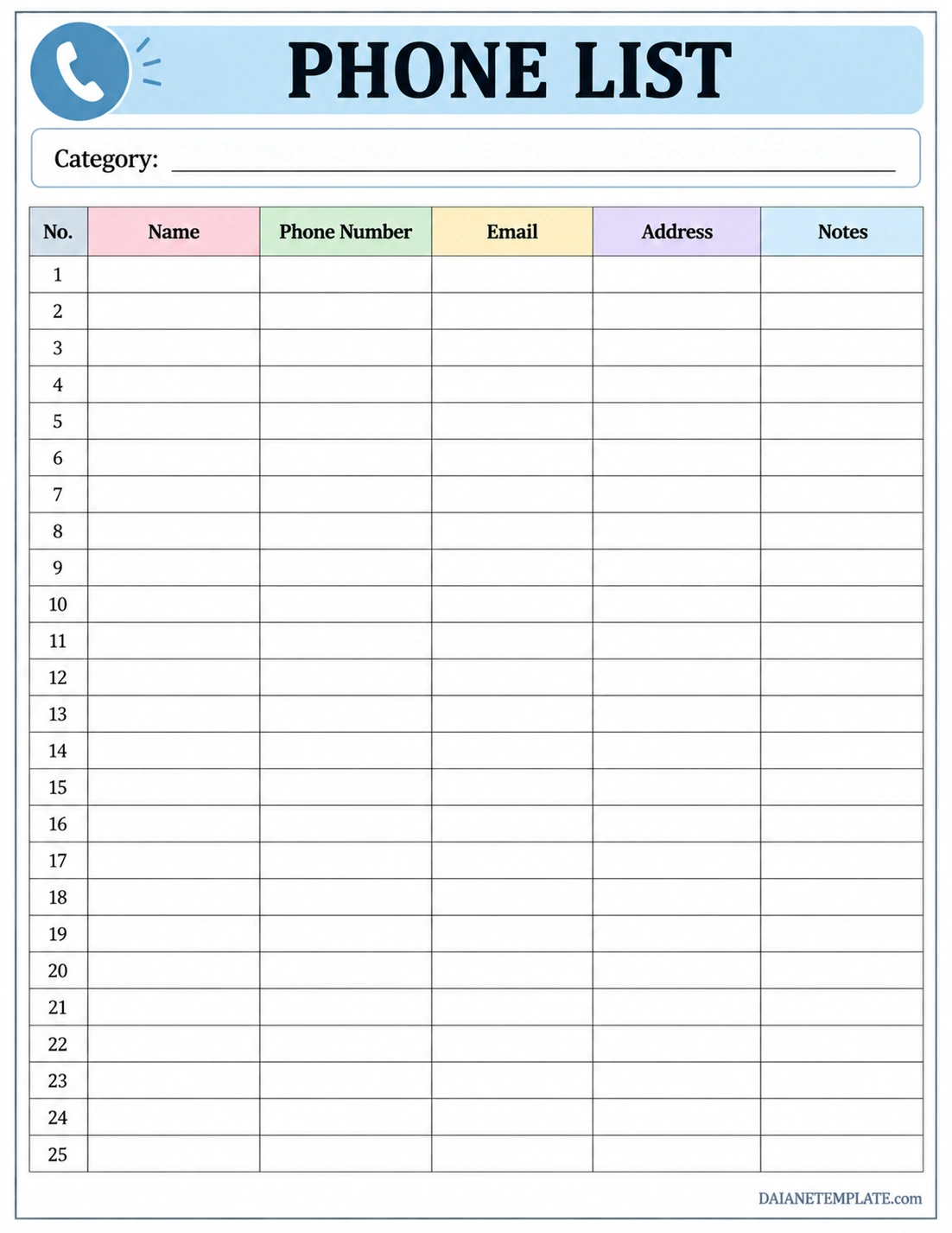
The template includes a category field and a contact table with columns for entry numbers, names, phone numbers, email addresses, mailing addresses, and notes. The numbered rows help you track entries, while the separate columns keep details organized.
You can use the category field to label the sheet as a family phone list, work contact list, school directory, or service provider list. Print additional copies for different groups or customize the fields to match your needs.
What Information Should a Phone List Include?
The information in a phone list depends on its purpose. A basic list may need only names and phone numbers, while a professional contact directory may require additional details.
Name or Organization
Enter the person’s full name or the organization’s official name. If multiple contacts have similar names, add a useful identifier, such as a department, job title, or relationship.
Phone Number
Record the correct telephone number and include the area or country code when needed. If a contact has multiple numbers, label them clearly as mobile, home, office, or another relevant type.
Email Address
An email address provides another way to communicate when a phone call is not practical. Check spelling carefully and avoid abbreviating an address in a way that could make it difficult to use.
Mailing Address
A mailing address can be useful for clients, suppliers, relatives, or service providers who receive letters or documents. Include this field only when the address is relevant to your purpose.
Category or Relationship
Classify contacts as family, friends, coworkers, customers, vendors, schools, healthcare providers, or other groups. Categories help users locate the right contact more quickly, especially when the list contains many entries.
Notes
Use the notes field for brief details that support communication, such as a contact’s department, preferred contact method, or business hours. Avoid storing passwords, account credentials, or unnecessary sensitive information in a general contact list.
How to Create a Phone List Step by Step
Creating a phone list is straightforward when you decide how the information will be organized before entering the details. Follow these steps to build a practical and easy-to-maintain contact directory.
- Step 1: Define the purpose. Decide whether the list is for personal contacts, family members, employees, customers, vendors, or emergency numbers.
- Step 2: Choose a format. Select a printable phone list, spreadsheet, word processing document, or digital contact tool.
- Step 3: Gather contact details. Collect names and numbers from reliable sources, and confirm important information with the relevant person or organization.
- Step 4: Group related contacts. Use categories or separate pages when different groups need different information.
- Step 5: Arrange entries consistently. Sort contacts alphabetically by name or organize them by department, role, or priority.
- Step 6: Enter information clearly. Use readable text and consistent phone number formatting.
- Step 7: Verify accuracy. Check numbers, email addresses, and names before sharing or printing the list.
- Step 8: Store the list appropriately. Keep printed copies in a suitable location and restrict access to digital versions when they contain private details.
- Step 9: Update the list regularly. Correct changed numbers, remove obsolete entries, and add new contacts when necessary.
Common Types of Phone Lists
Different situations require different kinds of contact lists. Choose a format that supports the people and tasks involved.
Personal Phone List
A personal phone list contains the numbers of friends, relatives, neighbors, and other people you contact regularly. It can serve as a backup reference when your phone is unavailable.
Family Phone List
A family phone list organizes contact information for household members, relatives, schools, caregivers, healthcare providers, and trusted service professionals. Keep essential emergency contacts easy to locate.
Business Phone List
A business phone list helps employees locate customers, suppliers, contractors, colleagues, and external service providers. Depending on the organization, it may include departments, job titles, email addresses, and preferred contact methods.
Employee Phone List
An employee phone list records approved work contact details for staff members. It can include names, departments, work extensions, company email addresses, and office locations. Follow organizational privacy policies when creating and distributing it.
Emergency Phone List
An emergency phone list focuses on numbers that may be needed quickly, including emergency services, trusted relatives, healthcare providers, schools, or designated caregivers. Keep it concise and verify the numbers periodically.
Customer and Vendor Contact List
Businesses can use a customer or vendor phone list to organize important external contacts. Additional fields may include company names, account representatives, order-related notes, or the best method for reaching each contact. Store customer information securely and follow applicable privacy requirements.
Tips for Keeping Your Phone List Organized
A phone list requires occasional maintenance to remain useful. These practical habits can help you keep contact information accurate and easy to find.
- Use a consistent sorting method: Arrange contacts alphabetically or group them by category, and follow the same approach throughout the list.
- Standardize phone numbers: Use a consistent format and include area or country codes where appropriate.
- Check important contacts: Verify critical numbers directly with the relevant person or organization.
- Remove duplicate entries: Combine repeated records to avoid confusion.
- Update changes promptly: Correct outdated numbers and email addresses when you receive new information.
- Keep the list readable: Use clear headings, sufficient spacing, and a font size suitable for printing.
- Separate sensitive information: Avoid placing private details in a general directory that many people can access.
- Review the list periodically: Schedule occasional checks to confirm that important entries are still current.
- Keep a suitable backup: For essential contacts, consider maintaining both a secure digital record and a printed copy.
Common Phone List Mistakes to Avoid
Small errors can make a contact list unreliable. Watch for these common problems when preparing or updating your phone list.
- Incorrect phone numbers: A single digit error can prevent you from reaching the intended contact.
- Unclear names: Use enough identifying information to distinguish people with similar names.
- Inconsistent organization: Switching between sorting methods can make contacts harder to find.
- Outdated records: Old numbers and email addresses may cause delays or misdirected communication.
- Too many unnecessary fields: Collect only information that supports the list’s intended use.
- Poor privacy controls: A list containing personal contact information should not be shared indiscriminately.
- No update routine: Even a well-designed template becomes less useful if changes are never recorded.
Phone List vs. Phone Book vs. Contact Directory
These terms are related, but they can describe slightly different tools.
- Phone list: Usually a focused list of selected contacts and their telephone numbers, often designed for a specific purpose or group.
- Phone book: Can refer to a personal contact book or a traditional telephone directory containing many individual or business listings.
- Contact directory: A broader record that may include phone numbers, email addresses, roles, departments, locations, and other contact details.
For everyday personal or workplace use, a phone list template is often sufficient. A larger organization may benefit from a more detailed contact directory with clear rules for access and updates.
Frequently Asked Questions About Phone Lists
What is the main purpose of a phone list?
The main purpose of a phone list is to keep contact information organized so users can find and retrieve telephone numbers quickly. It supports personal communication, workplace coordination, business operations, and emergency preparation.
What should a phone list include?
A basic phone list should include names and telephone numbers. Depending on its purpose, it may also contain email addresses, mailing addresses, categories, departments, and brief notes.
Can I use a printable phone list for business contacts?
Yes. A printable phone list can organize customer, supplier, employee, and service provider details. Customize the columns to match your business needs and protect the information from unauthorized access.
How do I organize a phone list alphabetically?
Choose a consistent rule, such as sorting by last name for individuals or by organization name for businesses. Use clear headings and separate categories when the list contains several types of contacts.
How often should I update my phone list?
Update it whenever a contact’s information changes. You can also review the list periodically to remove obsolete entries, correct errors, and verify important numbers.
Is a printed phone list better than a digital contact list?
Each format has advantages. A printed list offers offline access, while a digital contact list is often easier to search, edit, and synchronize. Keeping a printed backup of essential numbers can complement a digital directory.
How can I protect the privacy of a phone list?
Collect only necessary details, limit access to authorized users, and store paper copies securely. For digital lists, use appropriate access controls and follow relevant privacy policies and laws.
Conclusion
A phone list is a practical tool for organizing contact information and making communication more efficient. Whether you need a personal directory, family contact sheet, employee list, or business contact record, a consistent format helps you find important numbers quickly.
Use a printable phone list template to record names, telephone numbers, email addresses, and other relevant details. Keep entries accurate, organize contacts clearly, and update the list whenever information changes. With sensible privacy practices and regular maintenance, your phone list can remain a dependable reference for personal and professional communication.
Download: Phone List Template
